
Pi-Star LastQSO live terminal monitor for DMR hotspot troubleshooting
If you use a Pi-Star hotspot for DMR, YSF, or D-Star, the standard dashboard only shows limited information about current and recent traffic.
I use LastQSO on my own Pi-Star hotspot because it provides a much more useful live terminal display over SSH, making it easier to diagnose real-world hotspot and BrandMeister issues.
Unlike the normal Pi-Star dashboard, LastQSO gives a continuously updating terminal screen showing:
- latest callsigns heard
- talkgroup names
- DMR IDs
- BER values
- repeater or hotspot source
- QSO timing
- live transmission activity
- destination talkgroup changes
For active DMR use, especially monitoring TG91 Worldwide, UK talkgroups, and local QSOs, it is one of the most useful Pi-Star tools available.
Why I use LastQSO on my Pi-Star hotspot
On my own duplex hotspot I often use LastQSO when:
- testing dynamic talkgroup activation
- checking if Slot 1 or Slot 2 is receiving traffic
- diagnosing missing audio
- verifying BrandMeister routing
- checking BER when signal quality looks poor
- confirming talkgroup switching from the radio
It is especially useful when using DMR radios because you can instantly confirm whether the radio, hotspot, or network is causing the issue.
For example, if I key TG91 and hear no return traffic, LastQSO quickly shows whether:
- the transmission reached BrandMeister
- the hotspot routed the talkgroup
- the slot assignment was correct
- the TG timer is still active
- BER is too high
- the radio RX Group List is wrong
This makes fault finding much faster than relying on the web dashboard alone.
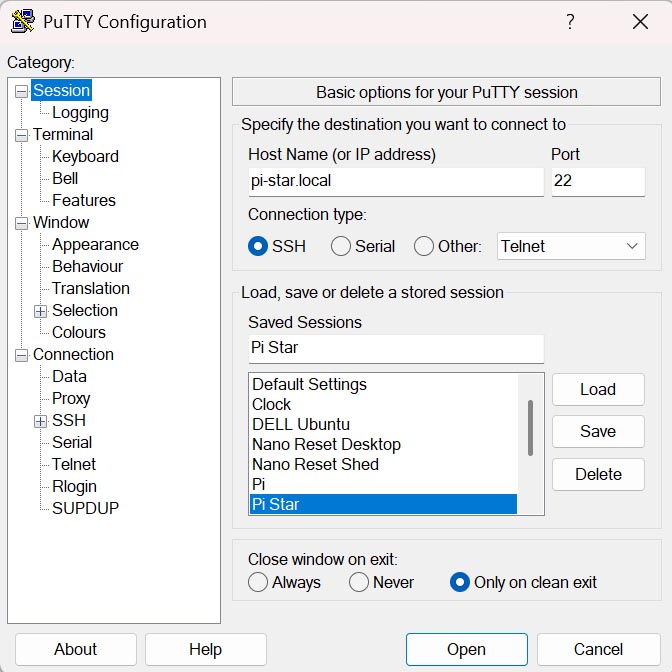
To install and run LastQSO you need SSH terminal access to your hotspot. On Windows, this is achieved via PuTTY (don't have PuTTy? Install PuTTY). Configure and save a PuTTY session as below.
Click Open and you will have a SSH terminal connection to your hotspot. It will ask for the username, enter pi-star. It will then ask for the password, enter raspberry.
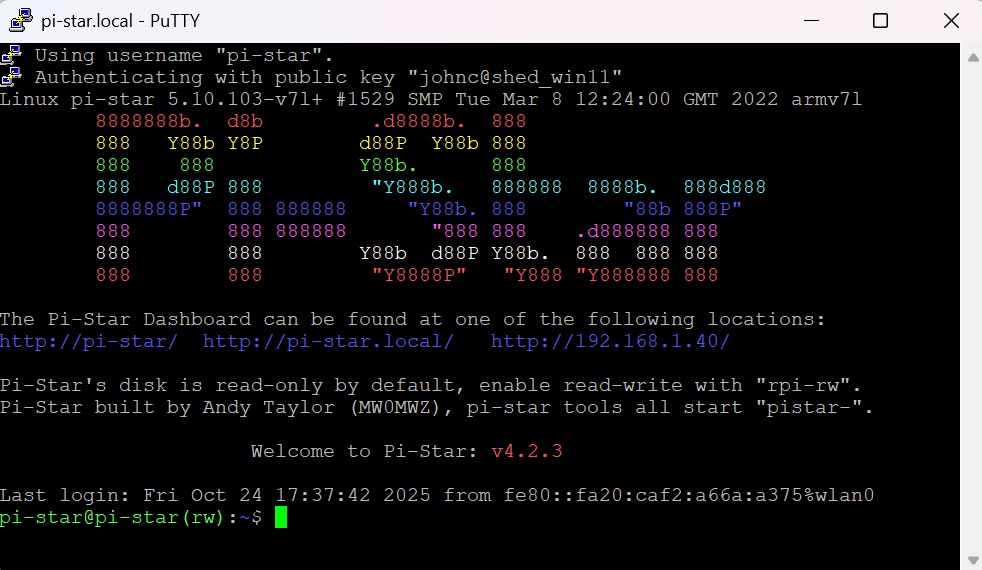
Issue the 4 commands below (the ones begining $, ommit the $).
Put the PI-STAR filesystem in read-write mode...
 $ rpi-rw
Pull down the pistar-lastqso files...
 $ git clone https://github.com/JereFirma69/pistar-lastqso.git
Change to the "pistar-lastqso" directory that was just created...
 $ cd pistar-lastqso
Run the install script...
 $ ./install
After the installation is complete you now just issue the command pistar-lastqso to start displaying all the data for each QSO detected by your hotspot. Much better than the Pi-Star dashboard and vastly superior the 0.93 inch OLED displays on some hotspots.